Everything your company already does — dispatch, schedules, supplies, inspections, work orders, client calls — rebuilt as one custom app that clients, managers, and field employees share. This is the full tour.
A manager's day is spent asking one question: where is everybody?
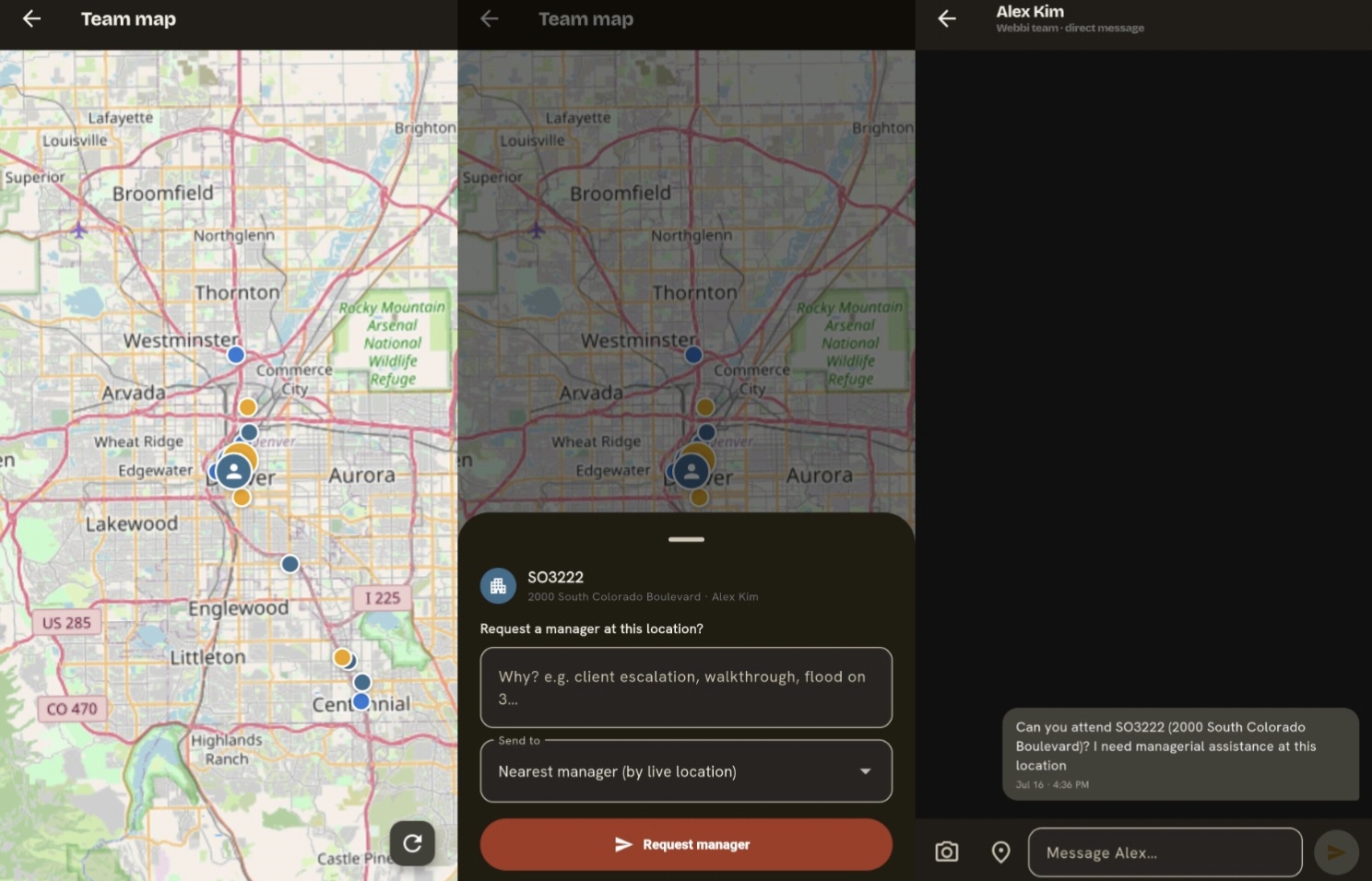
The platform answers it with a live map. Every field employee on the clock appears with their current building and status, so managers stop dialing around and start dispatching. When a site runs short-handed — a callout, a flood, a surprise walkthrough — the manager taps Request Assistance and pulls help from another building, with the request logged against both locations.
Spec Sheet
Live GPS positions for on-the-clock crews
Assistance requests routed to nearby buildings
Status at a glance: en route, on site, on break
Location history tied to shifts, not people off the clock
1.1 — The dispatch map, every crew accounted for.
02
Schedules & live status, visible to clients
Clients shouldn't have to wonder whether anyone showed up.
They open the app and see the manager and employee schedules for their building, who is on site right now, and where in the building they are — third floor, loading dock, mechanical room. When they need someone, they know exactly who's reachable, and one tap starts the conversation.
Spec Sheet
Manager & employee schedules, per building
Current status and in-building location
Contact the person on site directly from the schedule
Visibility scoped to each client's own buildings
2.1 — Who's on site, where they are, how to reach them.
03
Direct messages, without the phone tree
Most service complaints are really communication complaints.
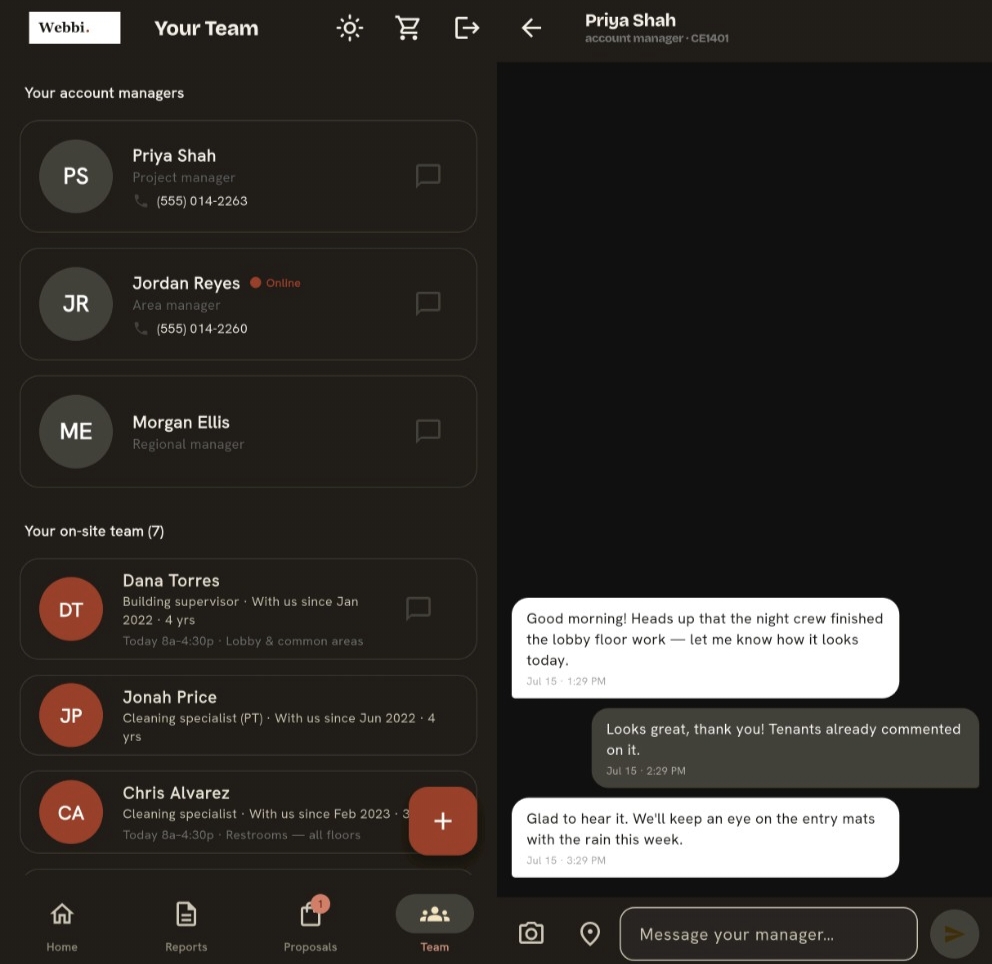
Built-in DMs connect clients to managers instantly — and, when it's needed, to field employees too. No more voicemails to the office relayed to a supervisor relayed to the crew. The message lands with the person who can act on it, and the thread stays on the record inside the app.
Spec Sheet
Client-to-manager messaging by default
Client-to-employee messaging where you allow it
Threads tied to buildings, searchable later
Manager and office visibility into conversations
3.1 — The conversation, where the work is.
04
Supplies ordering, straight from the app
The supply closet should never be a surprise.
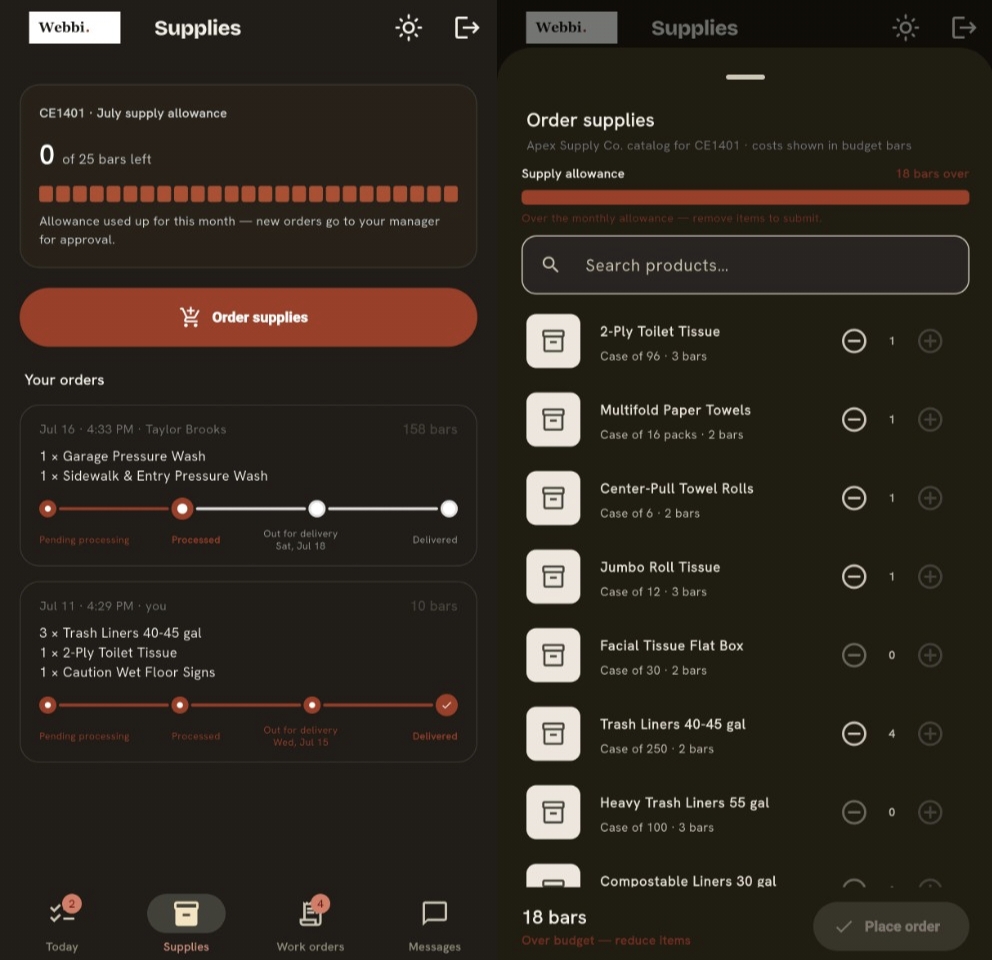
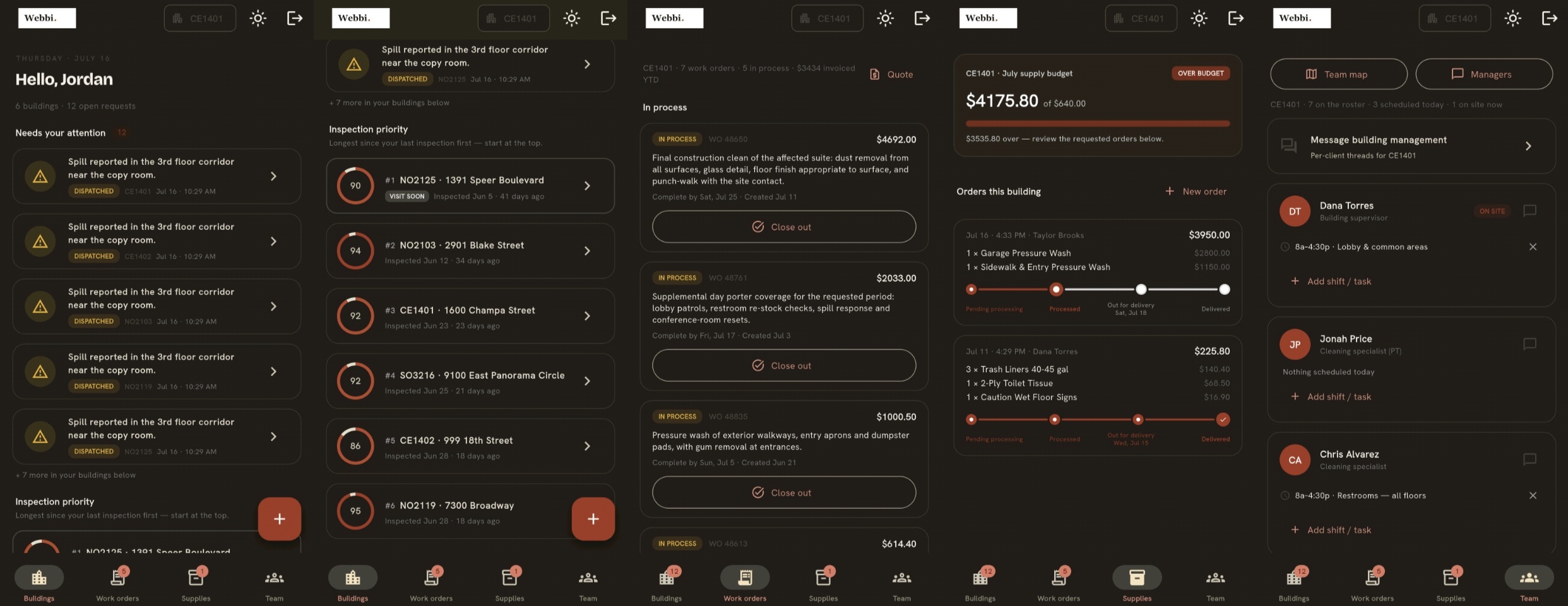
Crews and managers order supplies from inside the app, sourced through your vendors. Catalogs reflect what each vendor actually carries, so what you see is what can ship.1 Orders trace back to the building and the person who placed them, which turns supply spend from a mystery into a report.
Spec Sheet
In-app ordering against your vendor catalogs
Per-building order history and tracking
Approval flows for larger orders
Reorder in two taps from past orders
1 Catalog availability varies by vendor.
4.1 — Vendor catalogs, in your crew's pocket.
05
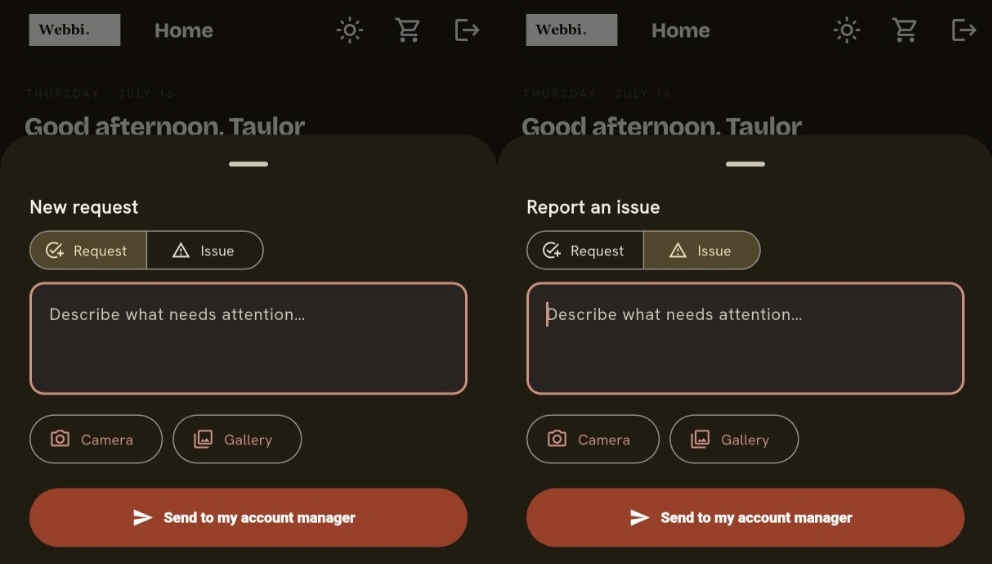
Custom requests, one click and ordered
"Could you also—" is where good service gets made or lost.
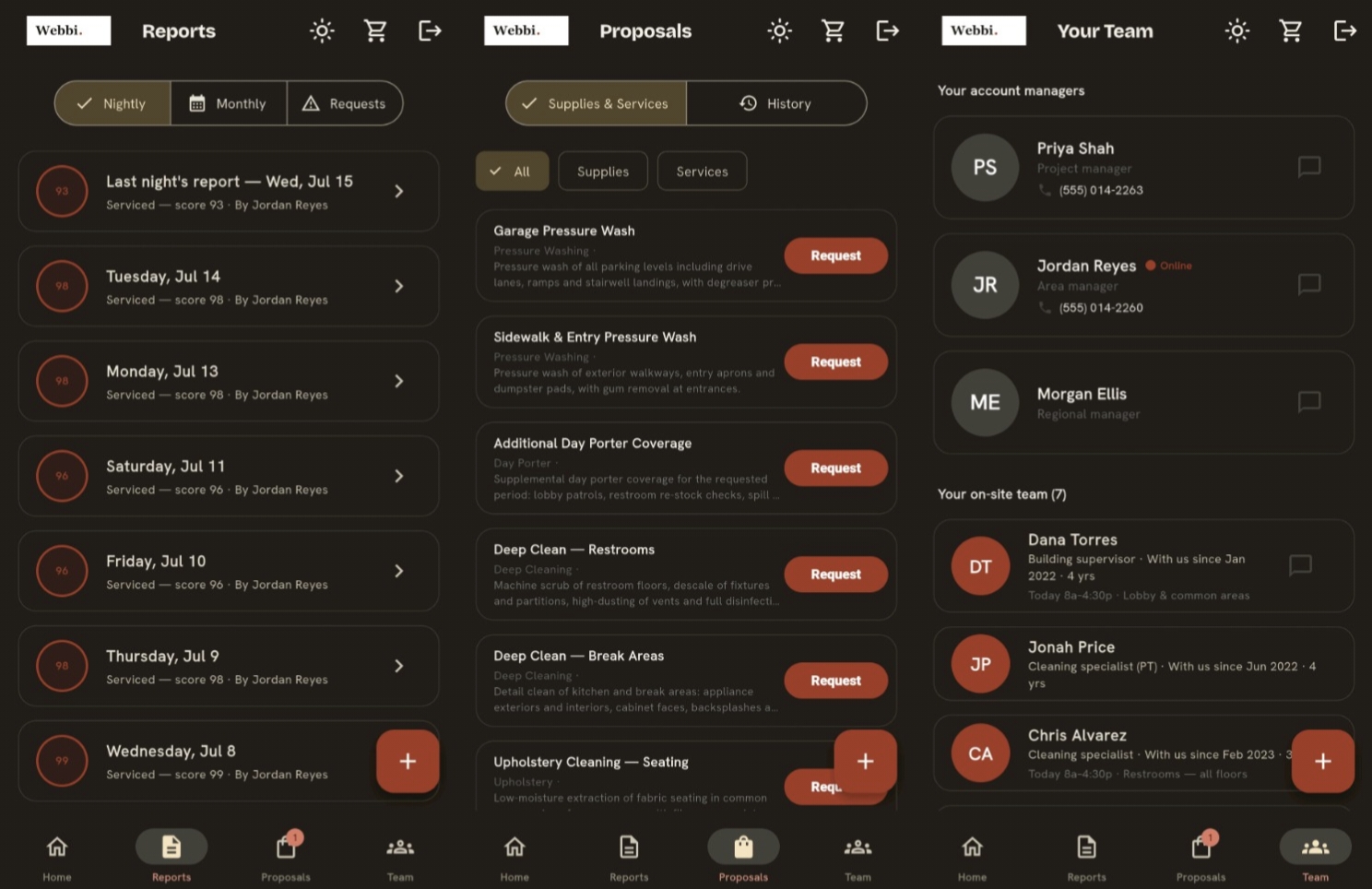
Special requests from clients — an extra pass before an event, a carpet spot, a conference room reset — go from the client to the manager or office as a one-click request. It arrives structured, gets accepted or quoted, and can be ordered through the app on the spot. Nothing lives on a sticky note.
Spec Sheet
One-click request from the client's app
Routed to manager or office, your choice
Accept, quote, or schedule from the same screen
Full history per client and building
5.1 — From ask to ordered, one screen.
06
Inspections & work orders, one system of record
If it isn't written down, it didn't happen — and it will happen again.
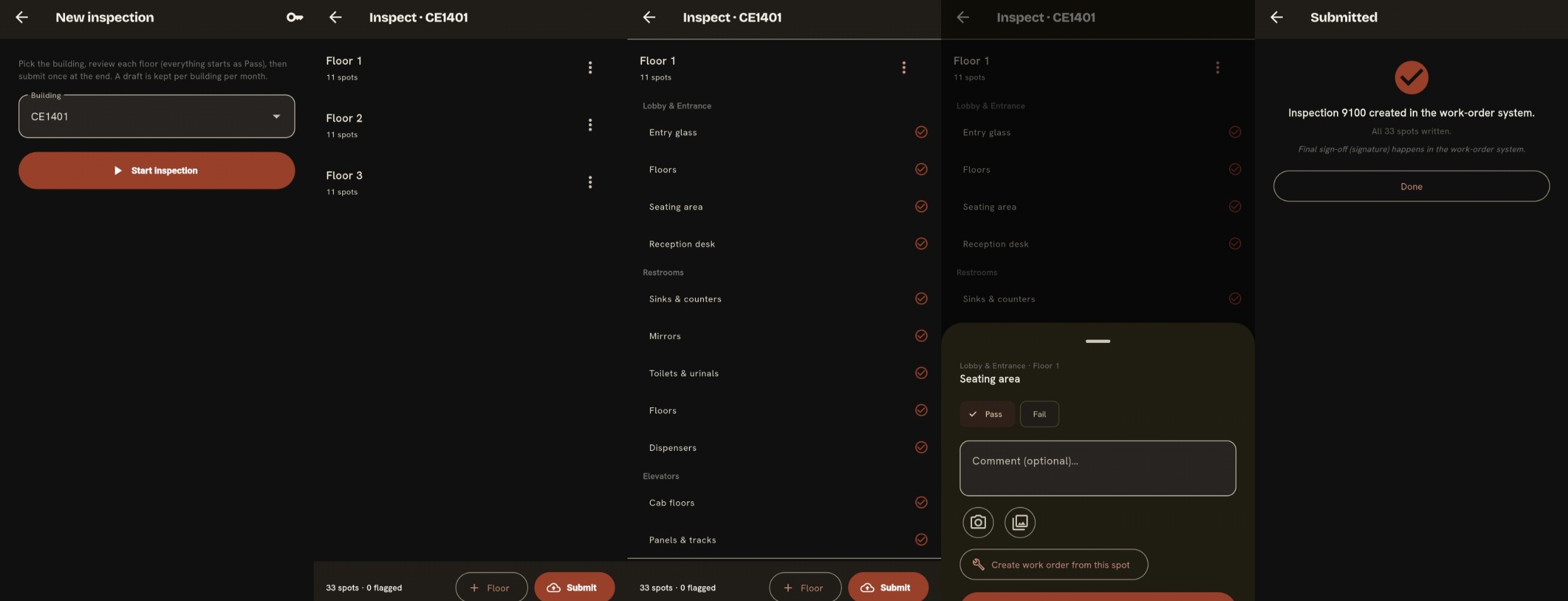
Inspections and work orders live in the same app as everything else. Walk a building with a checklist, flag deficiencies with photos, and convert findings into work orders assigned to a crew with a due date. Clients can follow the status of their requests without calling to ask.
Spec Sheet
Inspection checklists with photo evidence
Deficiency-to-work-order in one step
Assignment, due dates, and status tracking
Client-visible progress on their requests
6.1 — The paper trail, minus the paper.
07
An admin panel that knows who's who
All of this only works if the right people see the right things.
The admin panel controls access across the whole platform: user roles for clients, managers, office staff, and field employees, plus building- and location-level access so a client sees only their sites and a crew sees only their assignments. Onboard, offboard, and reassign from one screen.
Spec Sheet
Role-based access: client, manager, office, field
Per-building and per-location permissions
User lifecycle: invite, suspend, reassign
Audit trail of administrative changes
7.1 — Roles, buildings, and who gets the keys.
08
Custom branding — it's your app
Your clients should see your company on their home screen, not ours.
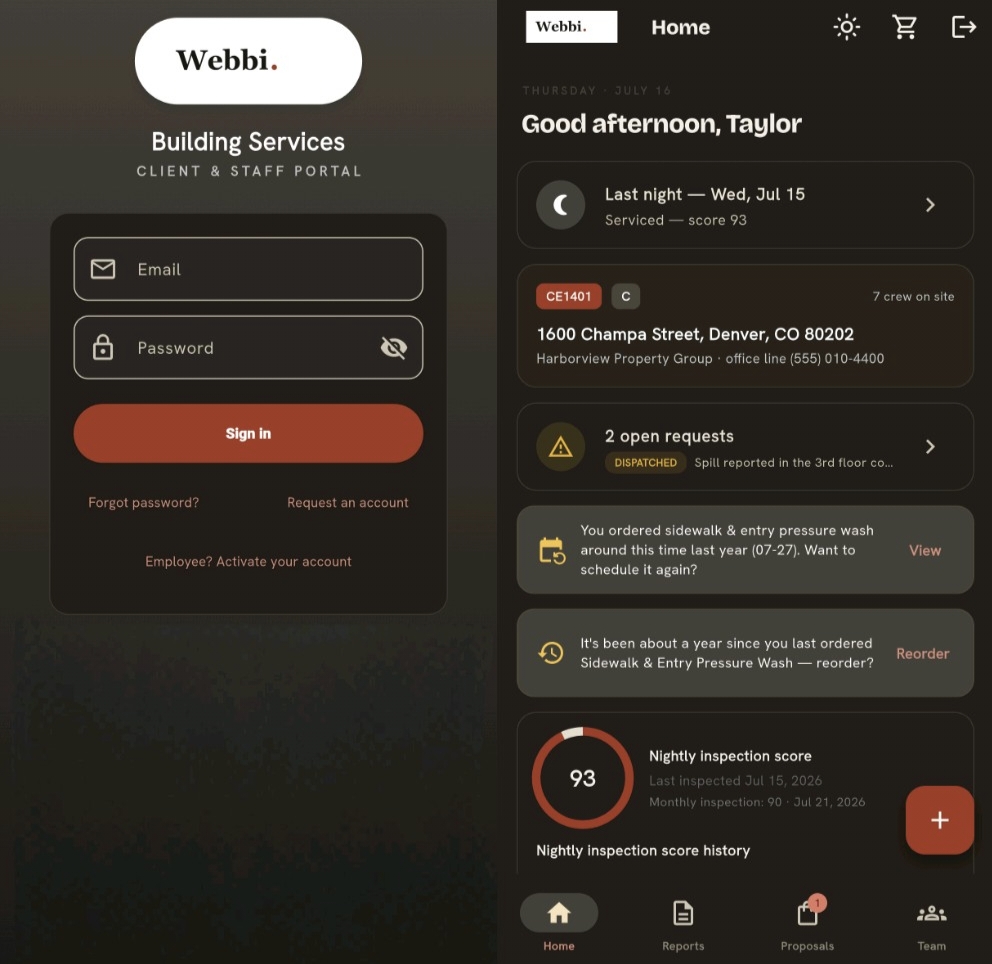
Every deployment is branded per company: your name, your logo, your colors, your voice in the notifications. Webbi builds and runs the machinery; the masthead is all yours. It reads as a serious investment in your service — because it is one.
Spec Sheet
Your logo, colors, and app identity
Branded client, manager, and field experiences
Custom notification voice and templates
Built on your existing services and workflows
8.1 — One platform, wearing your colors.
Back Page
Ready for the full edition?
Pricing is custom to your operation — number of buildings, seats, and modules. Write to sales and we'll put together a walkthrough with your workflows in it.